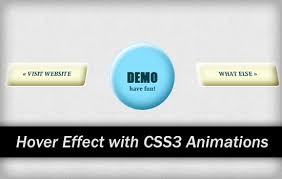
 Hovering CSS |
 Pada kesempatan kali ini saya akan membagikan tutorrial tentang hovering CSS dengan javascript animation. Arti dari hovering sendiri ialah
jika disentuh maka bergerak dengan sendirinya.
Berikut Tutorialnya
Langkah 1 : Simpan Kode berikut tepat diatas
</head>
<script src="http://code.jquery.com/jquery-2.0.3.min.js" type="text/javascript"></script>
<script src="animo.js" type="text/javascript"></script>
<link href="animate+animo.css" rel="stylesheet" type="text/css"></link>
Hapus yang ditandai jika blog sobat sudah terdapat jQuery.
Animations Tada Effect
Langkah 1 : Simpan CSS diatas
</style>
#demo1 {
position: relative;
border: 1px solid #CCC;
border-radius: 3px;
background: none repeat scroll 0% 0% #EEE;
box-shadow: 0px 2px rgba(0, 0, 0, 0.2);
text-shadow: 0px 1px 0px #FFF;
font-weight: 700;
font-size: 0.875rem;
display: inline-block;
margin: 0px;
padding: 0.563rem 0.844rem;
border: 0px none;
background: none repeat scroll 0% 0% #DEDEDE;
color: #444;
text-align: center;
text-decoration: none;
font-size: 1rem;
line-height: 1.5;
cursor: pointer;
}
Langkah 2 : Letakan kode HTML di Halaman Statis
<div id="demo1" onclick="$('#demo1').animo({animation:'tada'});">Klik Saya</div>
Demo :
Animation Tada and Bounce Effect
Langkah 1 : Simpan CSS diatas
</style>
#demo1 {
position: relative;
border: 1px solid #CCC;
border-radius: 3px;
background: none repeat scroll 0% 0% #EEE;
box-shadow: 0px 2px rgba(0, 0, 0, 0.2);
text-shadow: 0px 1px 0px #FFF;
font-weight: 700;
font-size: 0.875rem;
display: inline-block;
margin: 0px;
padding: 0.563rem 0.844rem;
border: 0px none;
background: none repeat scroll 0% 0% #DEDEDE;
color: #444;
text-align: center;
text-decoration: none;
font-size: 1rem;
line-height: 1.5;
cursor: pointer;
}
Langkah 2 : Letakan kode HTML di Halaman Statis
<div id="demo1" onclick="$('#demo1').animo( { animation: ['tada', 'bounce'], duration: 2 } );">Klik Saya</div>
Demo :
Selamat berkreasi !!
